MyFitZ
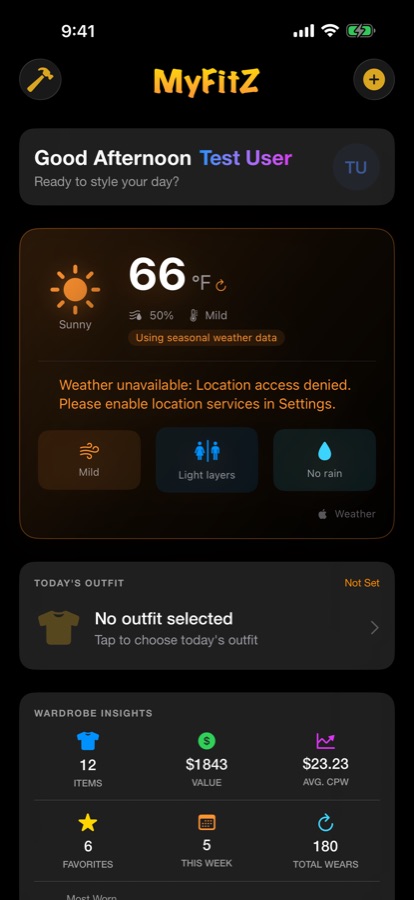
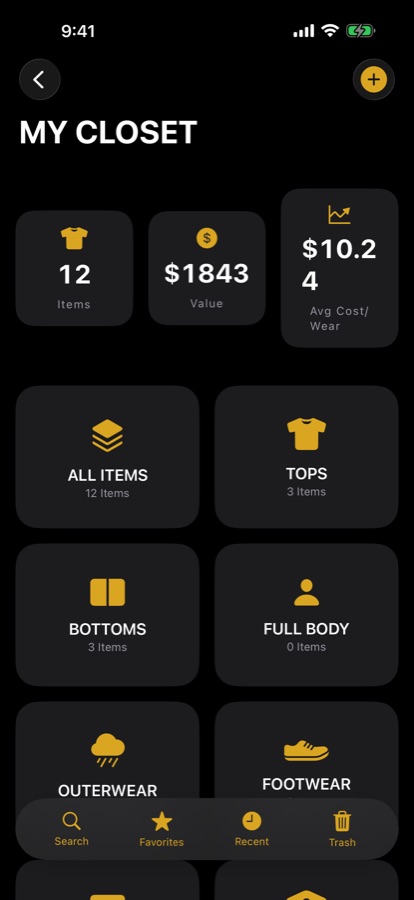
A wardrobe manager app for iPhone, Apple Watch and Vision Pro. Photograph your clothes, shoes and accessories, and MyFitZ turns them into a closet you can browse, plan outfits from and track what you actually wear.
I started MyFitZ in 2015 and put out a beta in 2016. In 2025 I came back to it and rebuilt it from scratch in SwiftUI. It's now about 92,000 lines of Swift and in TestFlight beta.
- Role
- Solo developer: design, code, testing, release
- Timeline
- 2015 to 2017, rebuilt 2025 to now
- Platforms
- iPhone, iPad, Apple Watch, Vision Pro
- Stack
- SwiftUI, SwiftData, CloudKit, WeatherKit, Vision, RealityKit, fastlane
- Status
- TestFlight beta, preparing for App Store submission
The problem
Most people wear a small part of what they own and forget the rest. They buy things they already have, and they have no idea which pieces were worth the money. Keeping track in a notes app or spreadsheet doesn't last, because adding an item takes too long.
What I built
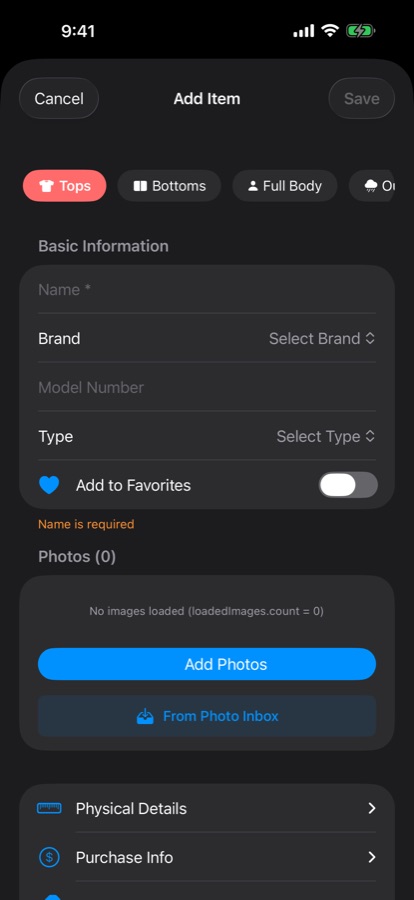
- A closet built from photos, with brand, size, color, material and price for each item, searchable by any detail.
- Outfits you can build, plan for calendar events and match to the forecast using WeatherKit.
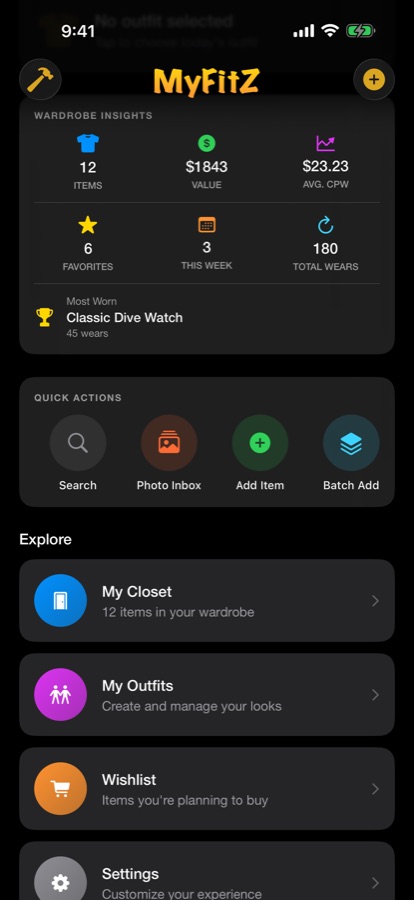
- One-tap wear logging, with cost-per-wear and your most and least worn pieces.
- On-device background removal using Apple's Vision framework, so item photos look clean without leaving the phone.
- An immersive closet on Apple Vision Pro built with RealityKit, plus an Apple Watch companion.
- Everything stored with SwiftData on the device, with optional sync through the user's own iCloud account via CloudKit. No account, no ads, no analytics.
Hard parts
AI features that respect privacy
MyFitZ has optional AI styling, auto item details and virtual try-on using Anthropic's Claude or Google's Gemini. They stay off until the user pastes in their own API key, which is stored in the iPhone Keychain. Before anything is sent, the app asks for explicit permission for each provider separately, and the user can withdraw it at any time. This matters for privacy, and it's also what App Review expects for apps that send user data to AI services.
Getting to a clean submission
A large app has a lot of ways to get rejected. Before submitting I worked through and cleared 11 App Review and crash blockers, from privacy disclosures to edge-case crashes.
Keeping a big codebase stable
With roughly 92,000 lines across four platforms, changes in one place can break another. I keep about 1,450 automated tests passing, and ship TestFlight builds through 18 fastlane lanes so every build is signed, versioned and uploaded the same way.
Results
- A complete SwiftUI rebuild running on iPhone, iPad, Apple Watch and Vision Pro.
- In TestFlight beta, with the App Store submission being prepared.
- About 1,450 automated tests and a scripted release process.
See the app's page at Bang Bang Studios, or watch the original 2016 beta video on YouTube to see how far it has come.
Where it stands today: in beta testing, with the App Store launch planned for December 2026.
Have an app idea you keep coming back to?
Bring it to a free call. I'll help you figure out what version one should be.